
How to Run a Productive One-on-One Weekly Check-In Meeting (Free Templates)
Looking to transform your weekly one-on-ones from boring status updates into high-impact alignment sessions? Discover the ideal timing, length, and structure for a perfect weekly check-in. Plus, grab our free, customizable 1:1 templates.

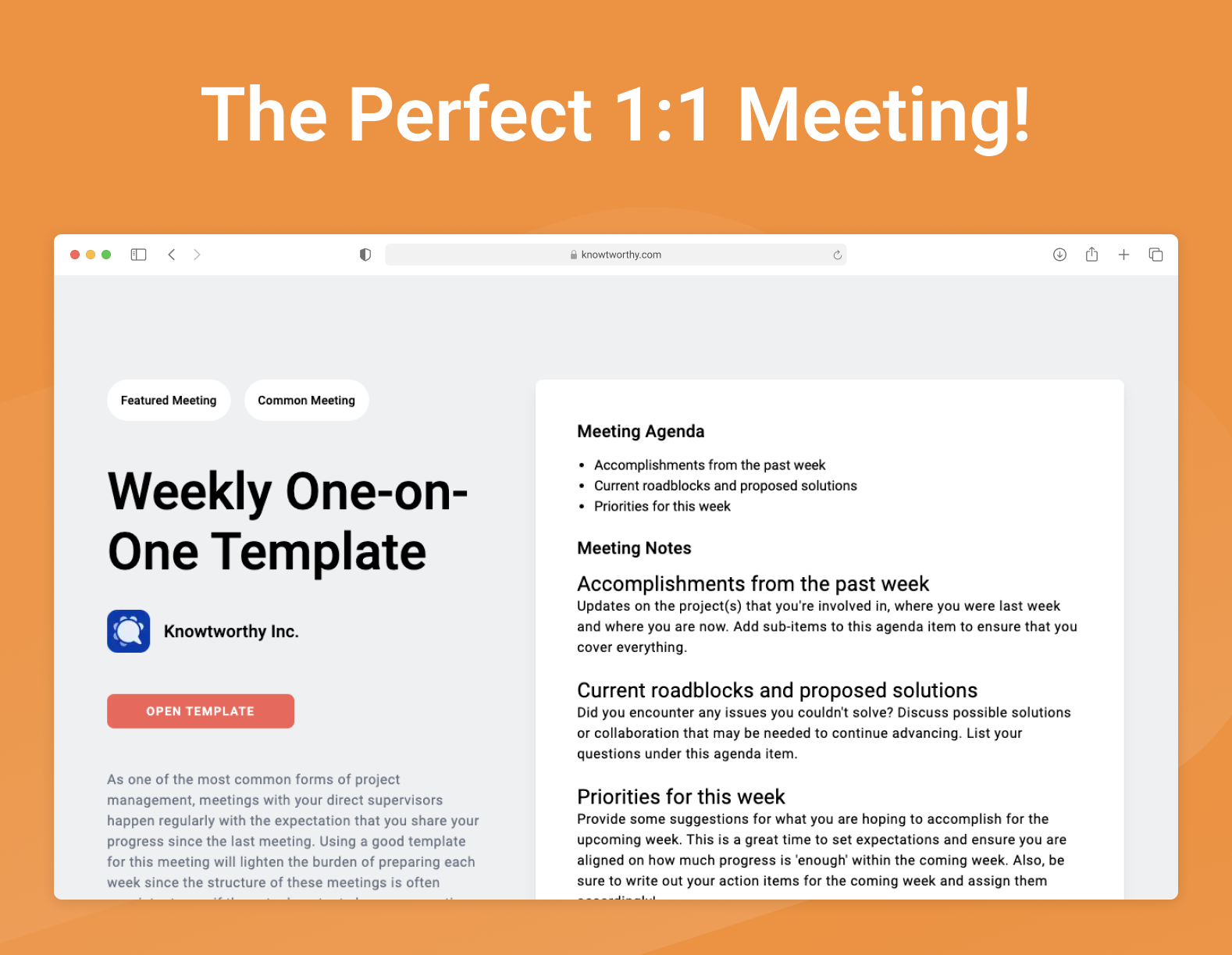
This week we’re looking at One-on-One Meetings, and will dive deep into the best practices for ensuring that these weekly meetings remain highly productive for you, regardless of your role. But first — let’s get back to the basics and look into what a one-on-one meeting is.
What is a Weekly One-on-One Meeting?
A one-on-one meeting is just as simple as it sounds—a meeting between two people. However, not every 1:1 meeting is the same! In particular, when talking about 1:1 meetings between managers and direct reports, there are usually three main kinds of meetings:
- Weekly or bi-weekly check-in. This kind of meeting is focused on quick progress updates (generally lasting no more than 30 - 45 minutes) where the agenda points are more direct, actionable, and related to current projects or situations. This is the kind of meeting we’ll be focusing on for the rest of this article.
- Monthly check-in. Sometimes called a 30-60-90 meeting, this kind of 1:1 focuses on identifying key and desired outcomes over the time course of the next few months.
- Yearly/long-term check-in. This kind of meeting is less concerned with smaller roadblocks on current projects, and is instead a growth opportunity for both the manager and direct report. We have an article about this type of one-on-one that you can check out as well!
Not all organizations or teams will have this kind of meeting depending on the management structure, but they can lead to great gains in productivity overall when deployed correctly!
What is the main goal of a Weekly One-on-One Meeting?
The main goal of a weekly 1:1 meeting is to quickly get a sense of progress that was made in the past week, address any outstanding questions or concerns, discuss any contentious ideas, and set goals for the next week.
Though the structure of these meetings is pretty consistent, what you may actually end up discussing each time might vary a lot!
When should you schedule a Weekly One-on-One Meeting?
When it comes to scheduling your weekly 1:1, consistency is everything. The best time to schedule this meeting is typically mid-week (Tuesday or Wednesday) or Thursday morning.
Mondays are often cluttered with catching up on emails and planning the week ahead, while Friday afternoons suffer from lower energy levels as employees mentally check out for the weekend. A mid-week check-in gives direct reports enough time to make tangible progress on their tasks, while still leaving a buffer to resolve any roadblocks before the weekend arrives.
Whichever day you choose, ensure it is set as a recurring calendar invite so that both parties can protect that time.
Should you really schedule a One-on-One meeting every week?
Yes, absolutely. While it might seem like a lot of meetings, establishing a weekly cadence builds psychological safety, keeps communication open, and paradoxically saves time.
When you have a dedicated weekly slot, you eliminate the need for constant, disruptive message pings throughout the week. If it happens to be a quiet week with few updates, you don't need to cancel it—simply hold a quick 10-minute touchbase. Canceling 1:1s frequently sends a subconscious message to your direct report that their time and development are not a priority.
How long should a Weekly One-on-One Meeting be?
The sweet spot for a weekly one-on-one check-in is 30 minutes.
Thirty minutes forces both the manager and the direct report to stay focused, avoid rambling, and dive straight into the most critical agenda items. If a direct report is managing a highly complex portfolio or navigating a massive transition, you may want to extend it to 45 minutes. However, it should rarely cross the one-hour mark. If it does, it risks devolving into a micromanaged status report rather than a strategic alignment session.
How is a Weekly One-on-One Meeting Run?
A common misconception is that the manager is the one who runs the 1:1. In reality, the direct report should own the agenda.
Because this meeting is fundamentally designed to support the employee, remove their blockers, and facilitate their success, the direct report should come prepared with the talking points. The manager’s role is to act as a facilitator, coach, and active listener.
To run this meeting smoothly, both parties should log into their shared meeting workspace (like Knowtworthy) at least 24 hours in advance to populate the agenda. During the meeting, you will collaborate through the updates, talk through roadblocks, align on expectations, and quickly document the next steps.
Additional Resources about Weekly One-on-One Meetings
To help you master the art of the 1:1, here are a few highly recommended guides from our archive:
- The Ultimate Guide to Effective One-on-One Meetings
- How to Ask for Meaningful Feedback in a 1:1 as a Direct Report
- Active Listening Techniques for Managers to Build Trust
A Simple Template for Weekly One-on-One Meetings
You should always adapt any meeting templates to your particular needs, but below we have some free templates for you to get started with. Every team is different, which is what makes running great meetings a challenge, but meeting best practices often stay the same for different meeting types.
We’ll go over every section in the templates attached in this article and feel free to follow along with any of the template versions we list below.
- Free Knowtworthy Template: Link
- Microsoft Word Meeting Template: Link (Click File > Download as Word)
- Microsoft Excel Meeting Template: Link
- Google Docs Meeting Template: Link
If these templates don’t suit your needs, you can check out our dedicated templates page where you can access all of our free templates and find one that works better for you!
Meeting Information
At the top of the template you should list a few important pieces of information about the current meeting so that anyone could get a good sense of what the meeting is for just at a glance. In particular, you might want to add the team in the meeting title instead of keeping things generic.
Meeting Purpose
A meeting’s purpose can stay consistent across several meetings, but bits of it can be updated to be relevant to a particular week. For example, in this template’s purpose we have:
Discuss progress since last meeting, analyze any setbacks, and set expectations for next week. The goal of the meeting is to leave with a set of actionable tasks for the following week.
However, depending on the current week's goals, you might update this to something more hyper-focused, like:
Review the Q3 feature launch timeline, address the design bottlenecks discovered on Tuesday, and align on priority features for the upcoming sprint.
Meeting Agenda
The actual meeting itself should have a few key phases which we list in the agenda. You can add notes about each agenda item and modify how much time you think each will take as needed, but we’ve provided a rough baseline for you to work with.
Accomplishments from the past week
Updates on the project(s) that you're involved in, where you were last week and where you are now. Add sub-items to this agenda item to ensure that you cover everything.
Current roadblocks and proposed solutions
Did you encounter any issues you couldn't solve? Discuss possible solutions or collaboration that may be needed to continue advancing. List your questions under this agenda item.
Priorities for this week
Provide some suggestions for what you are hoping to accomplish for the upcoming week. This is a great time to set expectations and ensure you are aligned on how much progress is 'enough' within the coming week. Also, be sure to write out your action items for the coming week and assign them accordingly!
After the Meeting
The final thing that you want to do once the meeting ends is store your notes somewhere safe and send them out or share them with your teammates, so that everyone can easily look back on what happened during this meeting in the future if needed, instead of needing to ask others about outcomes. We have a separate blog post that goes into detail about the best practices for handling your meeting notes after the meeting is over, which you can view here.
You can use these minutes to clue in people who couldn’t make it to the meeting or new team members that might want to get quickly caught up on what the team has been progressing on recently.
Depending on how you write your notes, you may need to share them over email, or by using a cloud-based meeting platform like Knowtworthy, you can freely share links to your minutes directly instead of needing to keep people up-to-date manually.
In this post, we covered some of the basics about weekly one-on-one meetings and dove into a solid template for your notes to get you started. But as we mentioned above, there is no one-size-fits-all meeting template! Furthermore, different types of meetings will require different kinds of templates.
So, if you are interested in other free meeting templates, check out the list of articles we’ve written about the subject here. We also host a blog all about meeting and project management best practices which you can check out here.